
Built for Australian teachers
Plan your week in minutes, not Sunday nights.
TeachPro puts your lesson plans, marking, to-dos and notes in one calm place, organised by school term.
No card needed · Cancel anytime
- Get it onGoogle Play
- Coming soonApp Store
Teaching is already a full-time job

Planning spills into your evenings
Lesson plans live in one document, the timetable in another, and Sunday night disappears.

Marking piles up
Grades sit in spreadsheets and exercise books, so it is hard to see what still needs doing.

Student info is everywhere
Extensions, parent emails and quick notes end up on sticky notes, phones and in your head.
What is TeachPro?
One calm place for everything you teach
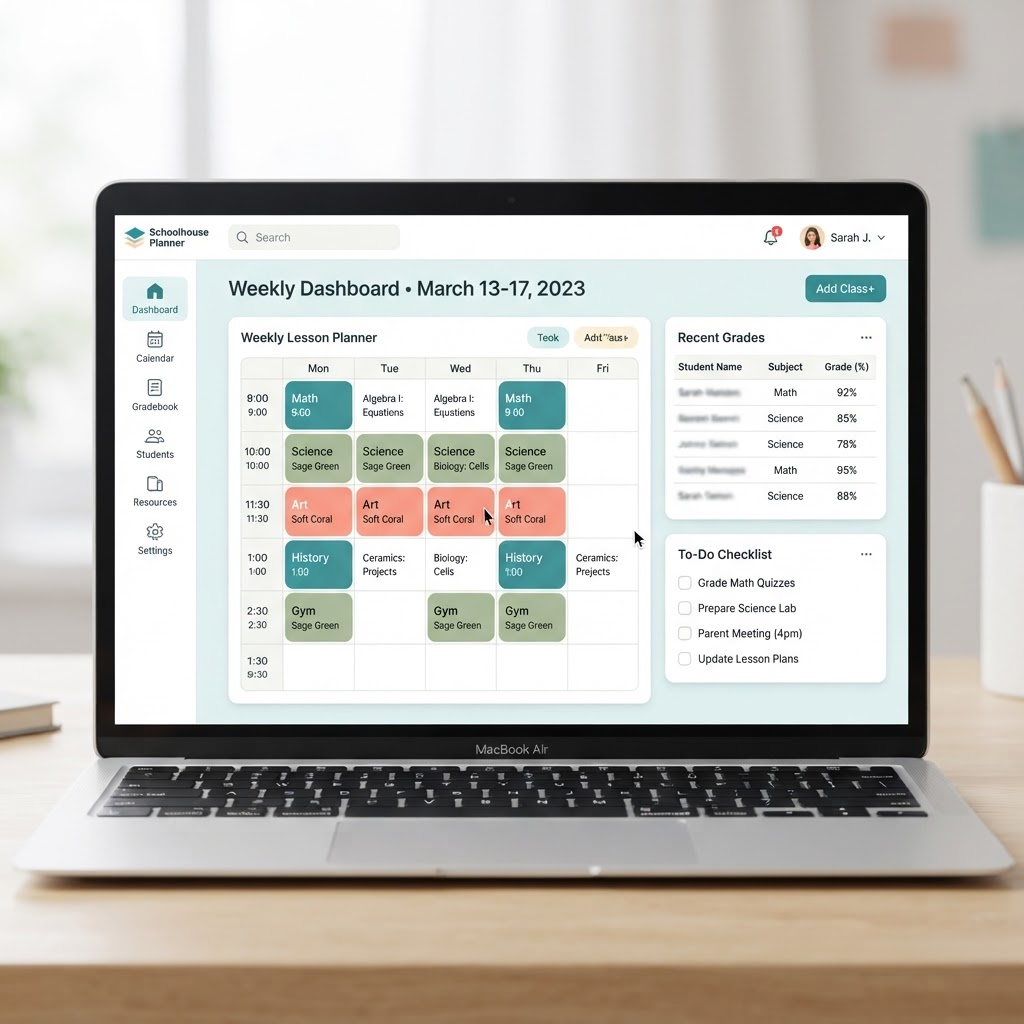
TeachPro is a teacher planner built for Australian classrooms. It brings your lesson planning, marking, to-do list and notes together in one dashboard, organised by school term, so you spend less time juggling documents and more time teaching.
Five tools, one calm dashboard
Everything in TeachPro works together, so nothing falls through the cracks.
Planner
See your whole week at a glance and drop lessons in where they belong.
Gradebook
Keep marks in one place and see exactly what is waiting to be graded.
To-Do List
Capture tasks the moment they come up and watch your progress climb.
Notebook
Jot down student notes and ideas where you will actually find them again.
My Terms
Organise everything by school term, so each new term starts fresh.
A week with TeachPro
Small moments through the week add up to evenings you get back.
Sunday
Plan the week in 10 minutes
Drop lessons into your planner and see the whole week laid out.
Monday
Start with today's schedule
Open TeachPro and see today's lessons and tasks at a glance.
Wednesday
Mark on the move
See what is waiting to be graded and chip away at it between classes.
Friday
To-do list cleared
Finish the week with everything ticked off and notes captured.
Weekend
Actually off
Next week is already set up by term, so you can properly switch off.
A note from the person who built it
Hi, I'm Kyle. TeachPro exists to give teachers their evenings back. I read every email, so if something is missing or confusing, write to me at info@teachpro.app and I will reply.
Kyle
One plan, every tool
Less than a coffee a day to get your evenings back. Try everything free for 14 days.
Annual membership
US$8.33per month
Billed US$100 once a year
- Planner: plan by day, week or term
- Gradebook: marks and work to grade
- To-Do List: capture and tick off tasks
- Notebook: student notes and ideas
- My Terms: everything organised by school term
- Android app, plus the web on iPhone and desktop
14 days free · Cancel anytime from Settings
Frequently asked questions
Give your evenings back.
Start your free trial and plan next week in minutes.
No card needed · Cancel anytime
- Get it onGoogle Play
- Coming soonApp Store